stud
bud
Sign up
Log in
Home
Library
Explore
SAT
More
Intro Class Microsoft Word Quiz Flashcards | StudBud
Explore
/
Intro Class Microsoft Word Quiz
Intro Class Microsoft Word Quiz
25 terms
·
StudBud Administration
·
27 plays
This quiz is designed for an introductory computer class learning the basics of Microsoft Word 2013.
Flashcards
25 cards
F
Practice quiz
P
Host live
L
Questions
25
Answers
1
What is the name of the toolbar with the following icons: Save, Undo, and Redo?
Fast Access Toolbar
Quick Access Toolbar
Easy Access Toolbar
Fast Tools
2
What is this?
Chip
USB
Plug
Microchip
3
What is this type of fill called?
Solid
Colour
Gradient
Pattern
4
What does this icon do?
Makes all text upper case letters
Bolds text
Change the colour of text
Highlights Text
5
The shortcut for COPY is...?
Ctrl + X
Ctrl + C
Ctrl + V
Ctrl + S
6
The shortcut for PASTE is ... ?
Ctrl + P
Ctrl + S
Ctrl + V
Ctrl + C
7
What does this icon do?
Bolds Text
Changes colour of text
Italicizes Text
Underlines Text
8
What tool allows you to change the size of the text?
Align Right
Size
Underline
Bold
9
What tool allows you to change the style of the words on your document?
Alignment
Spellcheck
Size
Font
10
What it this icon?
Right or Left align
Columns
Centered
Double lines
11
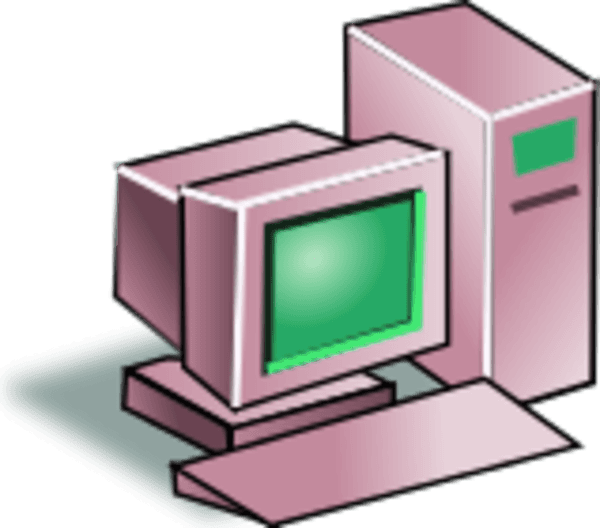
What is the graph showing on?
Keyboard
Computer
Laptop
Monitor
12
Which Microsoft Word version do we use in our class?
2003
2013
2007
2016
13
To add a picture you click the ... tab.
Review
Insert
Design
Home
14
What is the Word menu system that contains multiple
tabs
with
groups
that perform tasks?
Ribbon
Quick Access Toolbar
Bow
Groups
15
Which bar is this?
File
Design
Insert
Home
16
What is this called?
Down
Toolbar
Scrollbar
Up
17
This button is for _____.
Redo
Undo
New
Restart
18
What happens when you select text and push this button?
Underlines the text
Highlights the text
Bolds the text
Changes the size of text
19
This button is for ____
New
Undo
Redo
Restart
20
What does this icon do?
(hint: it shows in the top left corner of your Word doc)
Saves the document
Centers your text
Puts a border around your page
Creates a new document
21
What is the woman typing on?
Computer
Keyboard
Laptop
Monitor
22
What does this icon mean?
Makes the text all upper case letters
Makes the text bold
Makes the text slanted
Types the letter "i"
23
What happens when you select the title of your assignment and click this button?
Centers the text
Moves text to the left
Moves text to the right
Justifies the text
24
All of the following are examples of FONTS except...
Arial
Times New Romans
gradient
Calibri
25
What is the shortcut for CUT?
Ctrl + P
Ctrl + C
Ctrl + V
Ctrl + X